Mobile Access Control Management: Key Features to Check Before Deployment
Mobile Access Control Management: Key Features to Check Before Deployment
Before investing in a new security platform, project leaders need a clear review framework.
That is where mobile access control management becomes a serious decision point.
A mobile-first system can simplify entry, improve oversight, and reduce credential handling.
Still, fast deployment without proper checks often creates hidden security and operational gaps.
In real projects, the challenge is not buying features.
The challenge is choosing mobile access control management that works across people, doors, policies, and sites.
For physical security environments, that fit matters even more.
Buildings, gates, turnstiles, lockers, and restricted rooms all create different access conditions.
This also means the platform must balance convenience with strong control.
A practical evaluation before rollout helps reduce risk, avoid rework, and support future scaling.
Why Mobile Access Control Management Matters Before Rollout
Traditional cards and keys still work, but they create friction.
Lost cards, slow reissue cycles, and weak visibility often increase cost over time.
Mobile access control management offers a more flexible model.
Permissions can be issued, changed, suspended, or revoked from a central platform.
That speed matters during contractor onboarding, shift changes, or temporary access requests.
From a project view, mobile access control management also supports cleaner deployment planning.
It can connect doors, elevators, turnstiles, parking points, and remote facilities into one policy structure.
More importantly, it creates data.
Entry events, failed attempts, device status, and exception logs help teams make faster decisions.
When compliance, occupancy, and incident response are important, that visibility is hard to ignore.
Core Security Features to Check First
Not every platform labeled mobile-ready meets real security expectations.
The first review should focus on authentication strength and credential protection.
Credential Security and Identity Assurance
A solid mobile access control management platform should protect digital credentials end to end.
Look for encryption in storage, transmission, and device provisioning.
Device binding is also important.
If a credential can move too easily between devices, misuse risk increases.
Multi-factor authentication adds another useful layer.
For higher-risk areas, mobile credentials alone may not be enough.
Biometric confirmation, PIN verification, or liveness checks can strengthen trust.
Remote Revocation and Emergency Control
One major benefit of mobile access control management is fast response.
But only if the system supports immediate revocation.
Check whether permissions can be disabled by user, device, group, site, or time range.
Emergency lockdown workflows should also be available.
In incidents involving theft, intrusion, or safety alerts, delay creates exposure.
Operational Features That Affect Daily Performance
Security matters first, but usability decides whether the system performs every day.
Poor workflows can slow entry, increase support tickets, and frustrate site teams.
Permission Logic and Role Management
Mobile access control management should support granular permissions without becoming hard to manage.
Role-based access is the starting point.
You also need temporary access, visitor passes, contractor windows, and recurring schedules.
This becomes critical in mixed-use buildings and multi-tenant properties.
The platform should make these rules easy to audit and easy to update.
Real-Time Monitoring and Alerts
A good mobile access control management platform should not act like a passive credential wallet.
It should give operators live awareness.
Look for dashboards showing door status, forced openings, tailgating signals, offline devices, and failed entries.
Alerts should be configurable by severity and location.
That helps teams focus on what needs action now.
Offline Capability and Reliability
Connectivity issues still happen in car parks, remote sites, and infrastructure rooms.
That is why mobile access control management needs resilient offline behavior.
Check how credentials work during network loss and how logs sync after reconnection.
Fail-safe and fail-secure settings should align with each opening type.
Integration Requirements That Reduce Future Friction
A system may look impressive in isolation and still fail during deployment.
The real test is how mobile access control management connects with existing infrastructure.
Hardware and Site Compatibility
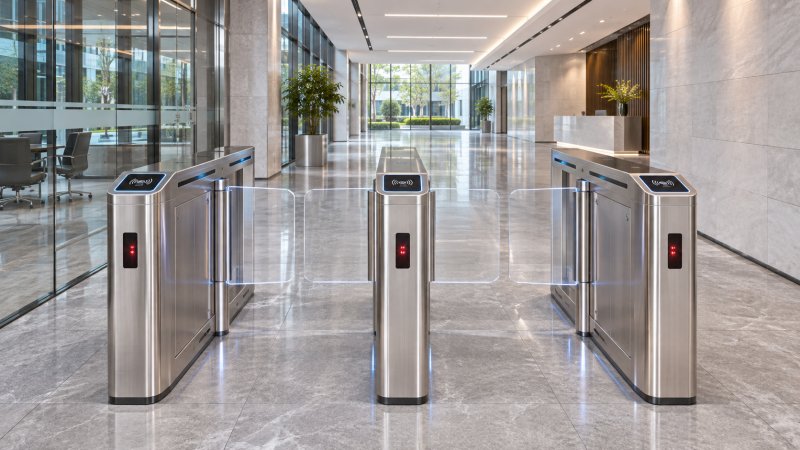
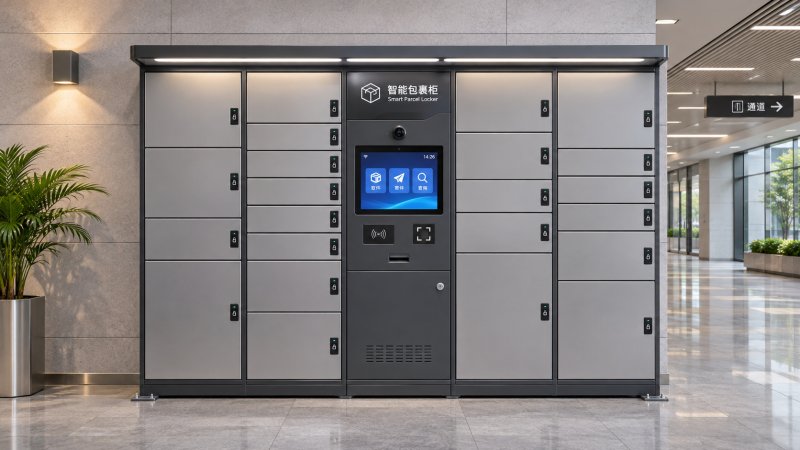
Review supported readers, controllers, smart locks, turnstiles, lifts, and locker systems.
Some mobile access control management platforms work well only with closed hardware ecosystems.
That can raise expansion cost later.
If the project includes gates, safes, server rooms, or logistics lockers, device support matters even more.
Software Integration and Data Flow
The platform should fit into wider security and facility workflows.
Useful integrations include HR systems, visitor management, video surveillance, alarm systems, and building management platforms.
Open APIs are a strong positive sign.
They make mobile access control management easier to adapt as business processes change.
Compliance, Scalability, and Vendor Evaluation
Short-term performance is not enough.
The platform should remain dependable as the site portfolio grows.
Audit Trails and Compliance Readiness
Mobile access control management should provide clear event history and exportable reports.
That supports investigations, internal audits, and regulatory review.
Check retention settings, admin logs, and change tracking.
For sensitive facilities, data residency and privacy controls also deserve attention.
Scalability Across Sites
Today’s single-site deployment can become a regional network surprisingly fast.
Mobile access control management should support centralized oversight with local flexibility.
Look for multi-site administration, delegated permissions, and consistent policy templates.
These features reduce rollout delays when new buildings come online.
Questions to Ask the Vendor
- How does mobile access control management handle credential theft or phone replacement?
- What happens during reader failure, cloud outage, or network loss?
- Which third-party locks, gates, turnstiles, and controllers are already proven?
- How are software updates delivered and validated?
- What deployment support is available for pilot, migration, and training?
A Practical Pre-Deployment Checklist
A structured checklist keeps mobile access control management decisions grounded in execution reality.
Use this review before final approval:
- Map every opening type, from office doors to turnstiles and restricted zones.
- Define user groups, access schedules, exception rules, and revocation priorities.
- Test mobile credential issuance, recovery, and device replacement workflows.
- Confirm integration with current security, HR, and facility systems.
- Run offline and emergency scenarios before live launch.
- Review reporting, audit logs, and compliance output with stakeholders.
- Start with a pilot area, then expand using measured feedback.
That approach makes mobile access control management far easier to scale with confidence.
Final Takeaway
The best mobile access control management platform is not simply the most modern one.
It is the one that fits your risk profile, hardware environment, operating model, and growth plan.
When security, usability, integration, and compliance are checked early, deployment becomes smoother.
Just as importantly, long-term maintenance becomes more predictable.
If the goal is safer access with less friction, start by evaluating mobile access control management feature by feature.
That is usually the fastest way to avoid expensive surprises after deployment.
Have questions about this sector analysis, or seeking best practices specific to your niche? Drop us a line below and let the senior consultants at MHLS assist you.
We respect your privacy. Your information is strictly confidential.
Recommended News
 Financial Facility Security: Choosing Vault Doors for Bank BranchesVault Structural ArchitectStrengthen financial facility security with the right bank vault door. Explore certification, installation, locking controls and maintenance before you buy.
 MACO Acquires Majority Stake in Fingerprint Access Provider ekeyProf. Elara SterlingMACO acquires a majority stake in ekey, bringing fingerprint access and door hardware closer together. Discover what the deal could mean for smart buildings.
 Physical Security System Engineering: From Risk Assessment to System DesignUnmanned Terminal FellowExplore physical security system engineering, from risk assessment to integrated design, procurement and testing. Build a safer, more resilient facility.
 Apple Home Collection Smart Lock and Other Accessories Open for Preorder November 13Biometric Auth ScientistApple Home Collection preorders open November 13, 2026. Explore the LG smart lock’s Matter and Aliro support and what buyers should verify before ordering.
 Choosing Servo-Driven Flap Barriers: Throughput, Safety and Access ControlAccess Control StrategistServo-driven flap barriers can balance throughput, safety and access control. Discover how to compare lanes, test performance and choose with confidence.
 Parcel Locker Network Pricing: Setup Costs, Fees and Contract TermsUnmanned Terminal FellowCompare parcel locker networks pricing, from setup costs and recurring fees to contract terms. Discover hidden charges and choose the right model.
 JR East Plans UWB Walk-Through Gates at 40 Stations in Spring 2028Access Control StrategistJR East plans UWB walk-through gates at 40 stations in spring 2028. Explore the rollout timeline and what suppliers should watch.
 Bank Vault Security Standards: UL and EN Ratings ExplainedVault Structural ArchitectExplore bank vault security standards and learn how UL 608 classes and EN 1143-1 grades differ, what they test, and how to verify certification before you buy.
 Mechanical Lock Hardware Prices: What Buyers Should Budget for Bulk OrdersMr. Gideon CrossMechanical lock hardware price is just the starting point. Discover what drives bulk-order costs and how to compare supplier quotes with confidence.
 IndexBox Forecasts Steady Global Security Keypad Market Growth Through 2035Dr. Valerius ThorneGlobal security keypad market growth is forecast at 3.3% annually through 2035. Explore the smart home and replacement trends shaping demand.
 Choosing an Infrared Safety Sensors Manufacturer: What Buyers Should CheckUnmanned Terminal FellowChoosing an infrared safety sensors manufacturer? Compare safety evidence, integration, environmental performance and lifecycle costs before you buy.
 Choosing a Security Material Testing Service: What to Check for Lock and Safe MaterialsProf. Elara SterlingChoose a security material testing service with confidence. Learn what to check for lock and safe materials, from attack methods and accreditation to reliable reports.