How Schools Can Select Cloud Access Control for Safer Multi-Building Campuses
Start with the campus operating model, not the reader specification
Cloud access control can be a strong fit for a multi-building school campus when the school needs centrally managed permissions, faster response to staffing changes, and consistent oversight across dispersed entrances. It is less suitable when the proposed design assumes reliable connectivity everywhere, treats every door as equally critical, or cannot preserve safe local operation during an outage.
For a technical evaluator, the first decision is therefore architectural: can the platform enforce the school’s access rules at the door and controller level even when its cloud connection is temporarily unavailable? A cloud-managed system should simplify administration, reporting, and remote updates. It should not make an exterior door, laboratory, dormitory, or emergency egress route dependent on a live internet session for every access decision.
That distinction is easy to miss in demonstrations. A vendor may show an administrator issuing a mobile credential or changing a schedule from a browser in seconds. Those capabilities matter, but they do not answer how the system behaves when a building loses WAN connectivity, a controller restarts, credentials are updated at the wrong time, or a fire alarm condition overrides normal access rules. Schools need to evaluate the operating conditions behind the interface.
Map access decisions to campus risk zones
A multi-building campus rarely has one access-control problem. It has several, with different consequences if a door is left unlocked, remains locked, or cannot be audited. Treating all openings as a standard “door count” can produce an inexpensive initial quote and an unreliable operating model.
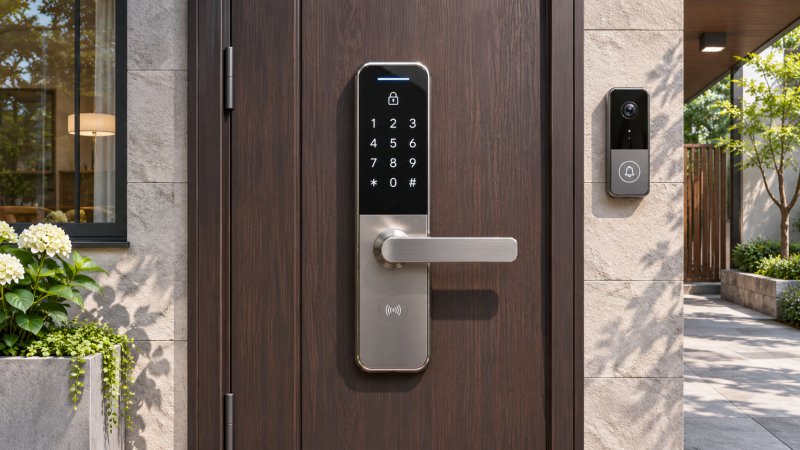
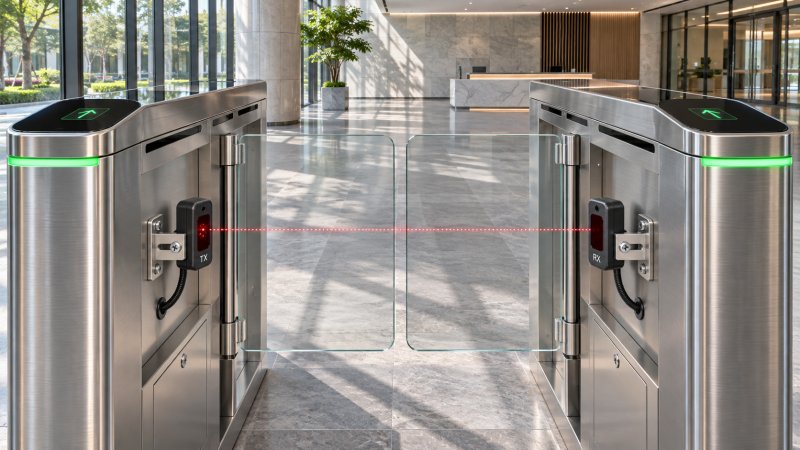
A practical evaluation begins by grouping openings according to what they protect and how they are used. Main entrances may need high throughput during arrival and dismissal, visitor screening, and integration with intercoms or turnstiles. Classroom wings may primarily need scheduled staff access and simple lockdown behavior. Science labs, IT rooms, records storage, medication areas, and facilities workshops often require narrower permissions and more reliable audit trails. Dormitories introduce another pattern: large populations, changing resident assignments, after-hours access, and a higher likelihood of lost credentials.
Those categories should drive decisions on hardware, credential method, controller capacity, and local operating rules. A server room should not receive the same treatment as a frequently used interior classroom door simply because both are controlled openings. Conversely, applying high-friction authentication to a heavily used student route may encourage tailgating or lead staff to prop doors open.
Before comparing platforms, create a door schedule that identifies:
- the building, opening type, and expected traffic pattern;
- who should have access, including staff, students, contractors, visitors, and emergency personnel;
- whether access is schedule-based, individually approved, or tied to a temporary event;
- the required behavior during power loss, network loss, lockdown, fire alarm activation, and forced-door alarms;
- the systems that need to exchange status or events with the access platform.
This schedule exposes assumptions that feature lists conceal. For example, a credential may be adequate for a faculty entrance but insufficient for a restricted lab if cards can be shared easily. A mobile credential may reduce card replacement work for staff, yet be a poor primary method where students do not have managed devices or where school policy limits phone use. The right mix is often hybrid: physical cards or fobs for broad daily use, mobile credentials for selected employee groups, and stronger identity checks for a limited number of sensitive spaces.

Test offline behavior as a core selection requirement
“Cloud access control” describes where administration and data services are hosted; it should not imply that doors are controlled remotely in a fragile way. Controllers at each building need sufficient local intelligence to continue applying valid schedules, credential permissions, door modes, and alarm logic when connectivity to the cloud is interrupted.
Technical teams should ask vendors to describe the failure modes in plain operational terms. How long can a controller operate without reaching the cloud? Which credential records and schedules are cached locally? Can local personnel make urgent changes if the connection is unavailable? Are event records stored and synchronized later? What happens after a controller power cycle while the network remains down?
The answers should be demonstrated against representative scenarios, not just described in proposal language. A useful acceptance test can include disconnecting a building’s external network path while checking authorized and unauthorized credentials, timed unlock schedules, forced-door events, request-to-exit behavior, and restoration of event history after the link returns.
Power resilience deserves the same attention. Controllers, locking hardware, network switches, and any wireless gateways may have different backup arrangements. A system can appear resilient at the software layer but fail because the lock power supply or communications equipment is unprotected. Evaluate backup duration by operational need, then confirm how doors behave as battery power is depleted. Fail-safe and fail-secure choices must align with life-safety design, emergency procedures, and the function of each opening. This is not a cloud-platform setting that can be standardized across every door.
For campuses with separate buildings, network topology also affects deployment risk. Some buildings may use managed wired networks; others may rely on wireless bridges, cellular connections, or older infrastructure with limited capacity. A cloud-managed platform should tolerate these differences without forcing a costly network rebuild for low-risk openings. At the same time, a weak network should not be used as a reason to accept weak monitoring or delayed alarm reporting at critical doors.
Examine identity, credentials, and administration together
Credential choice is often presented as a user-experience decision. In schools, it is equally an identity-governance decision. The platform must be able to distinguish between a person who should retain long-term access, a student whose access changes by timetable or residence, a substitute teacher who needs limited-duration access, and a contractor who needs escorted or tightly restricted entry.
Cloud access control for schools is most useful when it reduces the gap between personnel records and door permissions. That does not necessarily require a complex integration on day one. It does require a clear source of truth and a defined process for onboarding, role changes, departures, lost cards, and temporary access. If an administrator has to manually update credentials in several disconnected systems, cloud delivery alone will not solve the operational problem.
Evaluate whether the platform supports role-based access that can be understood by campus staff. Permissions should be built around operational roles and zones, rather than a large collection of one-off individual exceptions. An evaluator should be able to answer questions such as: which employees can enter every elementary school after hours; which lab assistants can enter a specific laboratory; which maintenance vendors have access only during a planned work window; and which administrators can approve exceptions.
Administrative permissions require equal scrutiny. A platform may offer broad remote management but provide limited control over who can issue credentials, modify schedules, change door behavior, or export activity records. Use separate roles for daily credential tasks, security administration, system configuration, and audit review. Multi-factor authentication for administrative access, defined account lifecycle controls, and a usable record of configuration changes should be part of the evaluation baseline.
For mobile credentials, assess more than convenience. Consider device replacement, staff turnover, shared-device policies, operating-system support, offline use, privacy expectations, and the process for revoking a credential from a lost phone. For card-based credentials, review the resistance of the credential technology to unauthorized copying and determine whether legacy cards can be retained safely during a phased migration. A low-cost reader upgrade that preserves an easily copied credential format can leave the school with a modern dashboard but an outdated physical identity control.
Integration should reduce operational blind spots
A school should not select a platform solely because it claims to integrate with everything. The more useful question is which integrations materially improve response, investigation, or administration on this campus.
Video systems are often the highest-value connection. When a forced-door, held-open, or access-denied event occurs, security personnel may need to locate the associated video quickly. Evaluate whether the integration links events to the correct camera view, whether time synchronization is reliable, and whether operators can use the connection without switching among multiple screens during an incident.
Intrusion detection, intercoms, visitor management, emergency notification, elevator control, and building management systems may also be relevant. Each connection introduces questions about ownership, data flow, support responsibility, and failure behavior. A useful integration should have a defined operating scenario. “Integration available” is not enough when neither supplier is responsible for diagnosing a problem that crosses the boundary between systems.
Data handling should be addressed at this stage as well. Access logs can reveal staff schedules, student movement patterns, and sensitive operational information. Evaluators should establish where event data is hosted, how long it is retained, who can access it, how exports are controlled, and what happens to data at the end of a contract. The appropriate retention period is a governance decision tied to the school’s operational and legal requirements, not simply the maximum storage option offered by a vendor.
Assess rollout capacity, not just platform scalability
A cloud platform may support a large number of doors in theory, while the school still lacks the practical capacity to deploy and maintain it across several buildings. The limiting factors are frequently cabling conditions, door hardware compatibility, electrical work, installer quality, network readiness, and the availability of staff who can maintain credential and alarm procedures after handover.
Start with a representative pilot rather than choosing the easiest building. A pilot should include at least one high-traffic entrance, one standard staff door, and one restricted area with a distinct access rule. It should validate reader performance, door-monitoring reliability, wireless or network behavior where applicable, user provisioning, alarm workflows, and the experience of personnel who will administer the system daily.
The pilot also provides a basis for a realistic migration plan. Many campuses need to retain legacy credentials or existing door hardware for a period. Confirm which components can be reused, where reuse creates security or reliability compromises, and whether mixed generations of controllers can be managed from one console. Migration complexity tends to grow when a project assumes that credentials, locks, network equipment, and directory records will all be cleaned up simultaneously.
Procurement documents should require more than a list of supported features. Ask bidders to state controller offline behavior, supported credential technologies, reader and locking hardware assumptions, administrative security controls, integration scope, data-export options, support boundaries, and commissioning tests. Require a building-by-building bill of materials and identify exclusions such as electrical remediation, fire alarm interface work, network switching, door repairs, or ongoing credential costs.
That level of detail helps distinguish a platform that can manage a campus from one that can merely connect doors to a cloud portal. The best selection is usually the system that preserves local safety and access continuity, gives administrators clear authority without excessive manual effort, and can expand building by building without creating a separate operating model for every site.
Have questions about this sector analysis, or seeking best practices specific to your niche? Drop us a line below and let the senior consultants at MHLS assist you.
We respect your privacy. Your information is strictly confidential.
Recommended News
 Financial Facility Security: Choosing Vault Doors for Bank BranchesVault Structural ArchitectStrengthen financial facility security with the right bank vault door. Explore certification, installation, locking controls and maintenance before you buy.
 MACO Acquires Majority Stake in Fingerprint Access Provider ekeyProf. Elara SterlingMACO acquires a majority stake in ekey, bringing fingerprint access and door hardware closer together. Discover what the deal could mean for smart buildings.
 Physical Security System Engineering: From Risk Assessment to System DesignUnmanned Terminal FellowExplore physical security system engineering, from risk assessment to integrated design, procurement and testing. Build a safer, more resilient facility.
 Apple Home Collection Smart Lock and Other Accessories Open for Preorder November 13Biometric Auth ScientistApple Home Collection preorders open November 13, 2026. Explore the LG smart lock’s Matter and Aliro support and what buyers should verify before ordering.
 Choosing Servo-Driven Flap Barriers: Throughput, Safety and Access ControlAccess Control StrategistServo-driven flap barriers can balance throughput, safety and access control. Discover how to compare lanes, test performance and choose with confidence.
 Parcel Locker Network Pricing: Setup Costs, Fees and Contract TermsUnmanned Terminal FellowCompare parcel locker networks pricing, from setup costs and recurring fees to contract terms. Discover hidden charges and choose the right model.
 JR East Plans UWB Walk-Through Gates at 40 Stations in Spring 2028Access Control StrategistJR East plans UWB walk-through gates at 40 stations in spring 2028. Explore the rollout timeline and what suppliers should watch.
 Bank Vault Security Standards: UL and EN Ratings ExplainedVault Structural ArchitectExplore bank vault security standards and learn how UL 608 classes and EN 1143-1 grades differ, what they test, and how to verify certification before you buy.
 Mechanical Lock Hardware Prices: What Buyers Should Budget for Bulk OrdersMr. Gideon CrossMechanical lock hardware price is just the starting point. Discover what drives bulk-order costs and how to compare supplier quotes with confidence.
 IndexBox Forecasts Steady Global Security Keypad Market Growth Through 2035Dr. Valerius ThorneGlobal security keypad market growth is forecast at 3.3% annually through 2035. Explore the smart home and replacement trends shaping demand.
 Choosing an Infrared Safety Sensors Manufacturer: What Buyers Should CheckUnmanned Terminal FellowChoosing an infrared safety sensors manufacturer? Compare safety evidence, integration, environmental performance and lifecycle costs before you buy.
 Choosing a Security Material Testing Service: What to Check for Lock and Safe MaterialsProf. Elara SterlingChoose a security material testing service with confidence. Learn what to check for lock and safe materials, from attack methods and accreditation to reliable reports.